


What Is a Google Review Tap Card and How Does It Work?

Online reviews play an important role in how customers discover, evaluate and choose businesses. Before visiting a restaurant, booking a hotel, choosing a salon or contacting a local service provider, many people check Google reviews to learn about other customers' experiences. For businesses, collecting genuine customer feedback can help build trust, strengthen their online reputation and improve their visibility in local search results.
However, getting customers to leave reviews is not always easy. Someone may be delighted with your service but forget to write a review after leaving. Others may not know where to find your Google Business Profile or how to access the review section.
This is where a Google review tap card can help.
A Google review tap card uses Near Field Communication (NFC) technology and often includes a QR code to make accessing a business's Google review page more convenient. Instead of searching for the business online, customers can tap their compatible smartphone on the card or scan the QR code to open the review link.
TAPiTAG provides NFC review cards, tags and display products designed to make this process simple for businesses and their customers.
In this guide, we will explain what a Google review tap card is, how it works, its benefits, where businesses can use it, and how to choose the right solution for collecting customer feedback.
What Is a Google Review Tap Card?
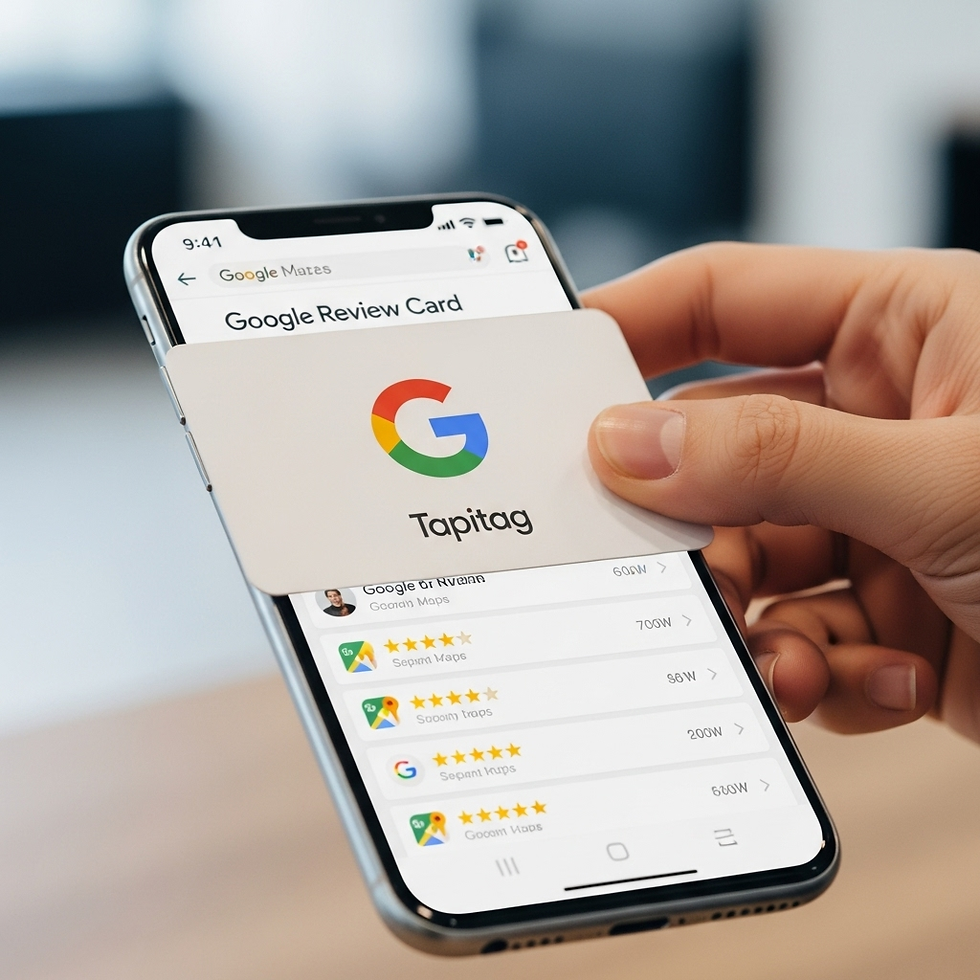
A Google review tap card is a physical card or contactless review product that directs customers to a business's Google review page when they tap it with a compatible smartphone. Many products also feature a QR code, giving customers another way to access the same destination.
The card contains an NFC chip programmed with a link. When a customer taps their phone against the card, the phone reads the NFC tag and opens the linked page, usually through a notification or browser prompt. The customer can then follow the instructions on Google to write and submit a review.
The QR code provides a similar experience without requiring NFC. Customers simply open their phone's camera or QR scanner, scan the code and follow the link.
A Google review tap card is therefore a practical combination of physical customer interaction and digital feedback collection.
Businesses can use these cards at checkout counters, reception desks, restaurant tables, hotel front desks, service appointments and other customer touchpoints.
Unlike a traditional printed sign that only displays instructions, an NFC-enabled review card gives customers a direct route to the review page. It reduces the number of steps involved and makes it easier to act while the experience is still fresh in their minds.
To explore the available options, visit the TAPiTAG Google Reviews collection.
How Does a Google Review Tap Card Work?
The technology behind a Google review tap card is straightforward. Once the product is configured correctly, customers can use it without downloading a dedicated app or manually searching for the business.
Here is how the process works.
Step 1: Set Up Your Google Review Link
First, the business needs a valid link that directs customers to the appropriate Google review page.
You can find the review link through your Google Business Profile, using the available option to ask for reviews or share your review form. The exact interface may vary.
Make sure the link opens the correct business listing and allows customers to access the review form.
This is an important step because the NFC card or QR code is only useful when it directs customers to the intended destination.
Step 2: Configure Your NFC Review Card
The next step is to connect the review product to your business.
With a TAPiTAG review product, the setup process involves scanning the product's QR code, activating the product and adding the relevant business information and Google review link as instructed.
Once configured, the product can direct customers to the intended review destination when they tap or scan it.
Businesses should test the link before putting the product into daily use. This helps confirm that the correct profile opens and that the customer journey works as expected.
Step 3: Place the Card Where Customers Can See It
After setup, place the review card or display in a location where customers naturally interact with your business.
For example, a retailer might place it beside the payment terminal, while a hotel could display it at reception. A restaurant might use a counter display or table-based review solution.
The goal is to make the review option visible without interrupting the customer experience.
Step 4: Invite Customers to Share Their Experience
When a customer has completed a purchase or received a service, staff can politely explain that feedback is welcome.
For example, an employee might say, "Thank you for visiting us today. If you have a moment, we'd appreciate your honest feedback on Google."
Customers can then tap the card or scan its QR code.
Step 5: Customers Write and Submit Their Reviews
After opening the review page, customers can sign in to Google if required, choose a star rating, write their comments and submit their review.
The card does not automatically create a review or guarantee a particular rating. Customers remain in control of what they write and whether they choose to submit feedback.
That distinction is important: the purpose of the card is to make the review process easier, not to influence customers into leaving a particular rating.
What Technology Powers a Google Review Tap Card?
Most modern Google review tap cards use two technologies: NFC and QR codes. Understanding the difference can help you choose a product that suits your customers and business environment.
Near Field Communication (NFC)
NFC allows compatible devices to communicate over a very short distance. In a review card, the NFC chip contains a link that a compatible smartphone can read when brought close to it.
Customers usually do not need a separate app to read a standard NFC link. Depending on the device and its settings, they may see a notification or another prompt before the page opens.
NFC makes the process feel natural because the customer simply taps their phone on the product.
If you want to understand this technology in greater detail, read NFC Business Cards: The Complete Guide.
QR Codes
A QR code is a scannable pattern that can store a web address or other information. When a customer scans a QR code with a compatible smartphone, the device can open the linked page.
QR codes are useful because they do not depend on the phone having NFC enabled or supporting NFC tag reading in the same way.
They also allow customers to access a review link from a little farther away than a physical tap may require.
For a more detailed comparison of the two technologies, read NFC vs QR Code Business Cards: Which One Should You Use?.
Why Combine NFC and QR Codes?
Using both technologies gives customers a choice.
Someone familiar with contactless technology can tap their phone, while someone who prefers scanning can use the QR code. This flexibility is particularly helpful in businesses that serve customers with different smartphone models and levels of technical familiarity.
A combined NFC and QR solution also reduces dependence on a single interaction method.
What Are the Benefits of Google Review Tap Cards?
Google review tap cards can support a business's customer feedback process in several practical ways.
1. Make Leaving Reviews More Convenient
One of the biggest obstacles to collecting customer reviews is the effort involved.
A customer might need to search for a business, identify the correct listing, open the profile and find the review option. Some customers will complete these steps, while others may postpone the task and forget.
A tap card reduces this friction by providing a direct route to the review page.
The fewer unnecessary steps customers encounter, the easier it becomes for them to provide feedback when they choose to do so.
2. Encourage Timely Customer Feedback
Customers often remember the details of their experience most clearly shortly after receiving a product or service.
A review card gives businesses a convenient way to invite feedback at that moment. For example, a salon can display one at checkout, or a hotel can make one available when guests finish their stay.
This does not mean customers should be pressured into reviewing immediately. Rather, the option is available when it is convenient for them.
3. Support Local Online Visibility
Google reviews can contribute to a business's online reputation and influence how potential customers perceive it.
Review quantity, ratings, relevance and other factors may affect how customers evaluate a business. Google's local search ranking systems also consider factors such as relevance, distance and prominence.
A tap card can help simplify the process of requesting genuine reviews, but it cannot guarantee higher Google rankings. Results depend on several factors, including the quality of the business profile, customer experiences and the local competitive environment.
4. Build Customer Trust
Potential customers often look at reviews before making a decision.
A consistent collection of honest feedback can help them understand what a business does well and what they might expect from its products or services.
For example, a restaurant with detailed customer feedback about its service, food and atmosphere may give potential diners useful information when comparing options.
A review card helps make it easier for real customers to share those experiences.
5. Reduce Manual Work for Staff
Without a simple review process, employees may need to explain repeatedly how customers can find the business's Google listing.
A review card provides a visible, reusable shortcut. Staff can give a brief explanation and allow customers to access the link themselves.
This is especially useful for businesses with busy checkout counters, multiple employees or several customer-facing locations.
6. Create a Professional Customer Experience
A well-designed review card or display can fit naturally into a business's branding and physical environment.
TAPiTAG offers review products in different formats, including cards, tags and display solutions. Businesses can choose an option that suits their available space and customer interactions.
For companies considering a wider move towards digital networking, the article Digital Business Cards vs Paper Business Cards: Pros, Cons & Cost explains how digital tools compare with traditional printed cards.
Where Can Businesses Use Google Review Tap Cards?
Google review tap cards can be used in almost any setting where a business interacts directly with customers.
Choosing the right placement is important because a visible, convenient card is more likely to be noticed than one hidden behind equipment or paperwork.
Restaurants and Cafés
Restaurants and cafés can place review cards near the till, on a counter or at another suitable customer touchpoint.
After a meal or takeaway order, staff can let customers know that honest feedback is welcome.
For table-service businesses, a suitable display can make the review option available without requiring customers to ask for a link.
Hotels and Hospitality Businesses
Hotels can use review displays at reception, concierge desks or checkout areas. Hospitality businesses can also consider appropriate locations in shared guest areas.
A convenient review link gives guests an easy way to access the business's Google profile after their visit.
For businesses operating multiple locations, separate review products can be configured for the appropriate business profiles.
Hair Salons and Beauty Clinics
Hair salons, barbershops and beauty businesses often build customer relationships over repeat visits.
A review card at the checkout desk offers customers a convenient way to share their experiences after an appointment.
Staff should invite honest feedback from customers generally, rather than asking only those who appear happy to leave a review.
Retail Stores
Retailers can display review cards beside payment terminals, customer service counters or collection desks.
Customers who have completed a purchase can use the card if they want to describe their experience.
This can be particularly practical for local shops where customer service and personal recommendations play an important role in attracting new visitors.
Healthcare and Professional Services
Clinics, dental practices and other professional service providers may use review products at reception or another suitable point in the customer journey.
These businesses should take particular care to protect privacy. Staff should not pressure patients or clients to leave reviews, and any request should respect applicable confidentiality requirements.
Trades and Home Services
Plumbers, electricians, cleaners, repair specialists and other service providers may not have a permanent checkout counter.
They can use a portable review card after completing a job, where appropriate, to offer customers a convenient route to the business's review page.
This makes the technology useful beyond traditional retail environments.
For more practical placement ideas, see Google Review Cards for Business: 7 Smart Places to Use Them for More Reviews.
Google Review Tap Card vs Traditional Review Requests
Businesses can ask customers for Google reviews in several ways. The best method depends on how the business communicates with its customers and when it is appropriate to request feedback.
Method | Main advantage | Potential limitation |
Verbal request | Personal and direct | Staff may forget to ask |
Email follow-up | Useful after remote transactions | Customers may overlook the message |
SMS review link | Convenient for customers who receive messages | Requires an appropriate messaging process |
Printed QR code | Easy to display in public areas | Customers must scan the code |
NFC review card | Quick tap-based access | Requires a compatible phone and correct NFC interaction |
NFC and QR display | Offers two ways to access the link | Requires suitable placement and setup |
A Google review tap card does not necessarily replace email, SMS or verbal requests.
Instead, it provides another option that fits naturally into face-to-face customer interactions.
Businesses can combine methods responsibly, provided that their review requests comply with Google's policies and applicable privacy and communications laws.
Google Review Tap Cards vs Google Review Tags and Display Stands
Although the terms are sometimes used interchangeably, review cards, tags and stands can serve slightly different practical purposes.
A Google review card is generally portable and can be kept near a payment terminal or handed to a customer when appropriate.
A Google review tag may be attached to a suitable surface or positioned at a convenient customer touchpoint, depending on the product design.
A Google review display stand is designed to remain visible on a counter, reception desk or table. It can be particularly useful when multiple customers interact with the same location throughout the day.
The right option depends on your business layout, how frequently customers visit and whether staff need a portable product or a permanent display.
When comparing solutions, consider the supported technologies, branding options, ease of setup, durability and the destination the product opens.
You can read Google Review Tag: TAPiTAG vs Other Competitors – Which One Is Best for Growing Your Business Reviews? for more information about comparing review products.
How to Choose the Right Google Review Tap Card
Before purchasing a review card, consider how your customers will use it and where it will be placed.
Check NFC and QR Compatibility
A product with both NFC and QR functionality provides customers with alternative ways to open the review link.
Make sure the QR code is clear and large enough to scan from the intended distance. Test NFC functionality using different compatible smartphones before relying on the product in a busy setting.
Consider the Material
The material affects the appearance, feel and suitability of a physical card.
For example, PVC may be suitable for businesses seeking a lightweight, familiar card format, while bamboo can offer a natural appearance. Metal options may suit businesses looking for a more premium finish, depending on the available product designs.
These material choices are not identical across every product, so check the specifications of the review product you plan to purchase.
For a broader discussion of NFC card materials, read PVC vs Bamboo vs Metal: Choosing the Right NFC Card Material.
Look for Branding Options
A branded review product can look more consistent with your business environment.
Consider whether you want your business name, colours or logo included, and whether the product will sit on a counter, be carried by employees or be used at events.
The design should make the intended action clear without overwhelming customers with unnecessary information.
Review the Setup Process
A straightforward setup process can make it easier to get started.
Check how the product is activated, how the Google review link is added and whether the destination can be updated if your business details change.
You should also understand any ongoing costs or subscription requirements before purchasing.
Compare Prices and Long-Term Value
The cost of a Google review tap card depends on the product format, materials, quantity, customisation and supplier.
A single portable card may suit a freelancer or small business, while a multi-location company may prefer several products for different branches.
Look beyond the initial purchase price. Consider durability, ease of use, setup requirements and the number of customer touchpoints the product can support.
For more information about the pricing factors involved in NFC cards, read How Much Do NFC Business Cards Cost? Pricing Breakdown.
How Can TAPiTAG Help Businesses Collect Google Reviews?
TAPiTAG provides NFC-enabled review products designed to make it easier for customers to access a business's review page.
Depending on the selected product, businesses can use a review card, tag or display stand to create a convenient tap-or-scan experience.
The process is designed around a simple idea: make the review link easy to reach at the moment a customer interacts with the business.
A Simple Setup Process
TAPiTAG's review products are configured by following the product's activation instructions and adding the appropriate business information and Google review link.
After setup, businesses can place the product in the locations where customers are most likely to notice it.
Before launching, test both NFC and QR access, where available, to make sure they lead to the intended page.
Options for Different Business Environments
A portable card may work well for a service professional, while a display stand may be more practical for a café or reception area.
Businesses with several branches can consider placing review products at suitable customer touchpoints in each location.
For companies that already use digital networking tools, the wider benefits of contactless sharing are discussed in What Is an NFC Business Card & How Does It Work?.
Sales teams and other customer-facing employees may also find useful ideas in Top 7 Benefits of NFC Business Cards for Sales Teams.
A Practical Tool, Not a Guaranteed Result
A review card makes the process of accessing a review page easier, but it cannot guarantee that customers will submit reviews or that every review will be positive.
Results depend on the quality of the customer experience, how the product is used and whether customers choose to provide feedback.
Businesses should treat review cards as one part of a wider customer experience and reputation-management strategy.
Best Practices for Using Google Review Tap Cards
To get the most practical value from a review card, businesses should focus on convenience, transparency and authentic customer feedback.
Ask for Honest Reviews
Invite customers to share their genuine experiences. Avoid asking only customers who appear satisfied to leave reviews while discouraging others from doing so.
Google prohibits practices that manipulate ratings or unfairly influence the reviews a business receives.
Never Buy or Incentivise Reviews
Do not offer discounts, gifts, payments or other incentives in exchange for Google reviews. Do not ask customers to leave a particular star rating.
The purpose of a review card is to simplify access to the review form, not to influence the content of a customer's feedback.
Make the Card Easy to Find
Place the product somewhere visible and accessible. A card that is difficult to notice will be less useful than one positioned naturally within the customer journey.
Keep the NFC area and QR code unobstructed, and follow the manufacturer's guidance for placement.
Test the Link Regularly
Check that the product still opens the correct Google Business Profile and that the QR code remains readable.
If your business changes location, opens another branch or updates its profile, confirm that the review link is still correct.
Respond to Customer Feedback
Collecting reviews is only one part of reputation management.
Take time to respond professionally to feedback where appropriate. Thank customers for positive comments and address negative feedback calmly, without revealing private information.
Thoughtful responses can demonstrate that your business values customer experiences and takes feedback seriously.
Frequently Asked Questions About Google Review Tap Cards
1. Do customers need an app to use a Google review tap card?
Usually, no dedicated app is required to read a standard NFC link or scan a QR code. However, device settings, compatibility and the destination website may affect the experience. Customers may need to open a notification, use their camera or sign in to Google before submitting a review.
2. Do Google review tap cards work with iPhones and Android phones?
Many modern iPhones and Android smartphones support NFC or QR code scanning. Compatibility and the exact interaction can vary by device and settings. A product that supports both NFC and QR codes provides an alternative if tapping does not work.
3. Can a Google review tap card guarantee more five-star reviews?
No. A tap card can make the review page easier to access, but it cannot guarantee a review, a particular rating or a specific increase in review volume. Businesses should focus on delivering good service and inviting honest feedback without pressure.
4. Can I use a Google review tap card for multiple business locations?
Yes, if each product is configured with the correct review link for its intended location. Businesses with multiple branches should label and test their products carefully to avoid sending customers to the wrong profile.
5. Can I update the Google review link?
This depends on the product's configuration and management options. Before purchasing, check how the link is managed and whether it can be updated if your business details or Google profile change. Follow TAPiTAG's setup instructions for your specific product.
6. Are Google review tap cards suitable for small businesses?
Yes. Cafés, salons, shops, tradespeople, restaurants and other small businesses can use them to make their review links more accessible. The best format depends on budget, available space and how customers interact with the business.
7. Are NFC review cards better than QR codes?
Neither method is universally better. NFC offers convenient tap-based access, while QR codes are familiar and work without NFC. A product that combines both gives customers flexibility.
8. Where should I place my Google review tap card?
Suitable locations include checkout counters, reception desks, restaurant counters and other points where customers can comfortably access the product. Choose a location that is visible but does not obstruct service or pressure customers to leave feedback.
Final Thoughts
A Google review tap card is a straightforward way to connect an in-person customer interaction with an online review page. By using NFC technology and, where available, QR codes, it helps customers reach the right destination without manually searching for a business.
For businesses, the value lies in convenience. A review card can make it easier to invite feedback at checkout, after an appointment, during hotel checkout or following a completed service.
However, technology alone cannot replace excellent customer service. Authentic reviews come from genuine experiences, and businesses should always invite honest feedback without incentives, pressure or attempts to manipulate ratings.
TAPiTAG offers Google review cards, NFC tags and display products designed to support this process. By choosing a suitable format, configuring the correct review link and placing the product thoughtfully, businesses can make customer feedback a more accessible part of their everyday operations.
Ready to make your Google review link easier for customers to access? Explore the TAPiTAG Google Reviews collection to find a review solution suited to your business.


Comments